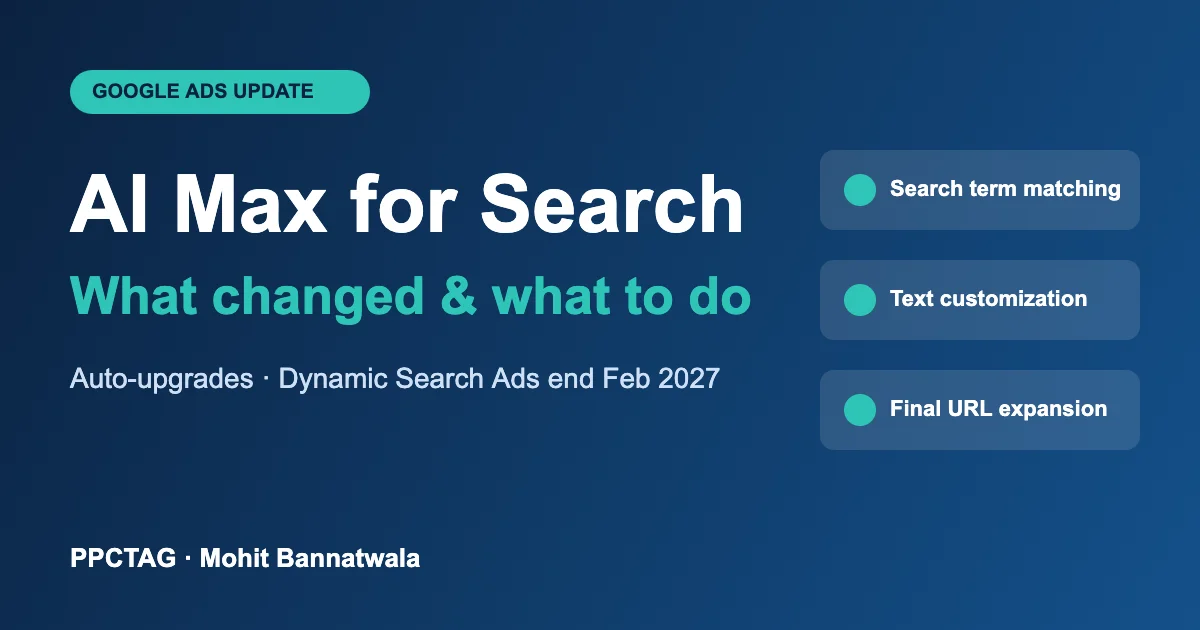
AI Max for Search is now a standard part of Google Ads, and many advertisers are using it without realising it. In September 2026, Google automatically upgraded Search campaigns that used automatically created assets or the campaign-level broad match setting. Next, Dynamic Search Ads (DSA) are scheduled to be upgraded automatically starting in February 2027.
If you run Search campaigns for a dental practice, law firm, home service business or salon, this changes which searches trigger your ads, what your ads say and which page people land on. Here’s what AI Max is, what changed, and what to check in your account this week.
Key takeaways
- AI Max for Search is a set of AI features you switch on inside a normal Search campaign. It is not a new campaign type.
- It has three parts: search term matching, text customization (formerly “automatically created assets”) and final URL expansion.
- Campaigns using automatically created assets or campaign-level broad match were auto-upgraded in September 2026.
- Dynamic Search Ads will be auto-upgraded starting February 2027. You can upgrade earlier and keep more control.
- Check your search terms, landing pages and pinned ads now, especially in regulated industries like healthcare and legal.
What is AI Max for Search?
AI Max is an optional layer of Google AI that sits on top of an existing Search campaign. Google launched it in beta in May 2025 and took it out of beta in April 2026. It includes three features:
- Search term matching: uses broad match plus “keywordless” technology to show your ads on relevant searches beyond your keyword list. Google reads your ads, keywords and landing pages to decide what’s relevant.
- Text customization: generates new headlines and descriptions based on your landing pages, ads and keywords, so the ad matches the search more closely. This is the renamed “automatically created assets” feature.
- Final URL expansion: sends people to the page on your site that Google thinks best matches their search, instead of only the final URL you set. It only works when text customization is on.
AI Max also adds controls: brand inclusions and exclusions, URL inclusions and exclusions, and ad-group level switches. Google describes it as the next step after Dynamic Search Ads and Performance Max’s URL expansion, with the controls of a Search campaign. Google also reports that advertisers using all three features together see on average 7% more conversions or conversion value at a similar CPA or ROAS. Treat that as Google’s average, not a guarantee.
What changed and when
| Date | What happened |
|---|---|
| May 2025 | AI Max for Search launched in beta |
| April 15, 2026 | Google took AI Max out of beta and announced automatic upgrades for legacy features |
| June 2026 | Google delayed the Dynamic Search Ads upgrade to February 2027 |
| September 1–30, 2026 | Campaigns using automatically created assets or campaign-level broad match were upgraded to AI Max |
| February 2027 | Dynamic Search Ads auto-upgrade begins and DSA can no longer be created |
How each group was upgraded:
- Campaign-level broad match campaigns received search term matching only. Text customization and final URL expansion were not switched on for them, and pinned assets in responsive search ads still work.
- Automatically created assets campaigns became AI Max campaigns with text customization, which can also bring automated query expansion unless you switch search term matching off at the ad group level.
- Dynamic Search Ads will become responsive search ads inside AI Max. Google generates the minimum headlines and descriptions needed using text customization.
How to check and set up AI Max
- Find affected campaigns. In Google Ads, open each Search campaign, go to Settings and look for the AI Max section. If it’s on, check which of the three features are active.
- Decide feature by feature. You can switch text customization and final URL expansion off individually at campaign level, and search term matching off per ad group.
- Use smart bidding. Search term matching does not work with manual CPC. If you still use manual bids, AI Max won’t expand your reach.
- Set URL exclusions. Exclude pages that should never receive ad traffic, such as careers, blog, privacy or old promotion pages.
- Add brand controls. Use brand exclusions if you don’t want to pay for searches of your own business name or competitors’ names.
- Review the new reports weekly. The search terms report has a “Search terms and landing pages from AI Max” view, and the landing pages report shows which URLs AI Max selected. Assets written by Google are labelled “Google AI” in the asset report.
- Upgrade DSA early. If you still run Dynamic Search Ads, use “Upgrade your Dynamic Search Ads to AI Max” in campaign settings before February 2027, so you choose the settings rather than Google.
What AI Max means for local service businesses
Local service accounts usually have small, tight keyword lists and clear service pages. That is exactly where AI Max can help or hurt:
- Dentists and healthcare: final URL expansion might send an “emergency dentist” search to a blog post instead of your same-day page. Exclude blog URLs, and watch which pages get traffic. See our Google Ads guide for dentists.
- Lawyers and regulated industries: if you pin required disclaimers in your ads, know that pinning is ignored when both text customization and final URL expansion are on, or when URL inclusions are used. Keep those features off in campaigns where exact wording matters.
- Home services: search term matching can find new service-plus-location searches, but it can also pull in DIY and job-seeker traffic. Keep your negative keyword lists up to date. Google says AI Max respects negative keywords.
- Nail salons and beauty: if Performance Max already performs well (as in our nail salon case study), test AI Max on a Search campaign as an experiment rather than replacing what works.
PPCTAG’s take
AI Max isn’t something to fear, but it shouldn’t run unchecked in a small local budget. My approach:
- Start with search term matching only on campaigns with good conversion tracking and at least 30 conversions a month. Leave final URL expansion off until you’ve checked your site’s pages.
- Run it as an experiment against your current setup for 4–6 weeks before switching fully.
- Judge it on cost per booked job, not clicks or “conversions”. If AI Max adds cheap leads that never book, turn it back down.
- Audit September-upgraded accounts now. Many advertisers don’t know their campaigns changed. If your cost per lead jumped in September or October, AI Max is the first place to look.
Not sure if AI Max changed your campaigns? An audit will show which features are on and what they’re doing to your leads.
FAQs
Is AI Max a new campaign type?
No. AI Max is a set of features you turn on inside a standard Search campaign. Your keywords, ad groups and budgets stay where they are.
Was my campaign automatically upgraded to AI Max?
If your Search campaign used automatically created assets or the campaign-level broad match setting, Google upgraded it to AI Max between September 1 and 30, 2026. Check the AI Max section in your campaign settings to see which features are on.
When do Dynamic Search Ads end?
Google’s automatic upgrade of Dynamic Search Ads to AI Max begins in February 2027, after which new DSA can’t be created. You can upgrade earlier from your campaign settings.
Can I turn AI Max off?
Yes. You can switch off AI Max or individual features: text customization and final URL expansion at campaign level, and search term matching per ad group.
Does AI Max work with manual CPC bidding?
No. Search term matching does not work with manual CPC, so you need a smart bidding strategy such as Maximize Conversions or Target CPA to use it.