
If you are searching for how to become Google Guaranteed or how to get Google Screened, the first thing to know is that both badges no longer exist. On October 20, 2025, Google replaced Google Guaranteed, Google Screened and License Verified by Google with one badge: Google Verified. The way to earn it is still the Local Services Ads screening and verification process, and the requirements are very similar.
This guide explains what changed, the full Google Verified requirements (background check, license, insurance, Business Profile and more), the step-by-step setup, how long it takes, and what the 2026 move of Local Services Ads into Google Ads means for your badge.
Key takeaways
- Google Guaranteed and Google Screened were replaced by the Google Verified badge on October 20, 2025. The money-back guarantee was discontinued.
- To get the badge, a new business must pass the Local Services Ads screening and verification process. Existing verified advertisers received it automatically.
- Checks can include a verified Google Business Profile, background checks, license, insurance, business registration and reviews, depending on category and location.
- Background checks are free, with no credit check.
- After Local Services Ads move into Google Ads, your verification and badge carry over. New advertisers still sign up at g.co/localservices.
What happened to Google Guaranteed and Google Screened?
Quick answer: Google retired the Google Guaranteed, Google Screened and License Verified by Google badges on October 20, 2025 and replaced them with a single Google Verified badge. The money-back guarantee that came with Google Guaranteed ended.
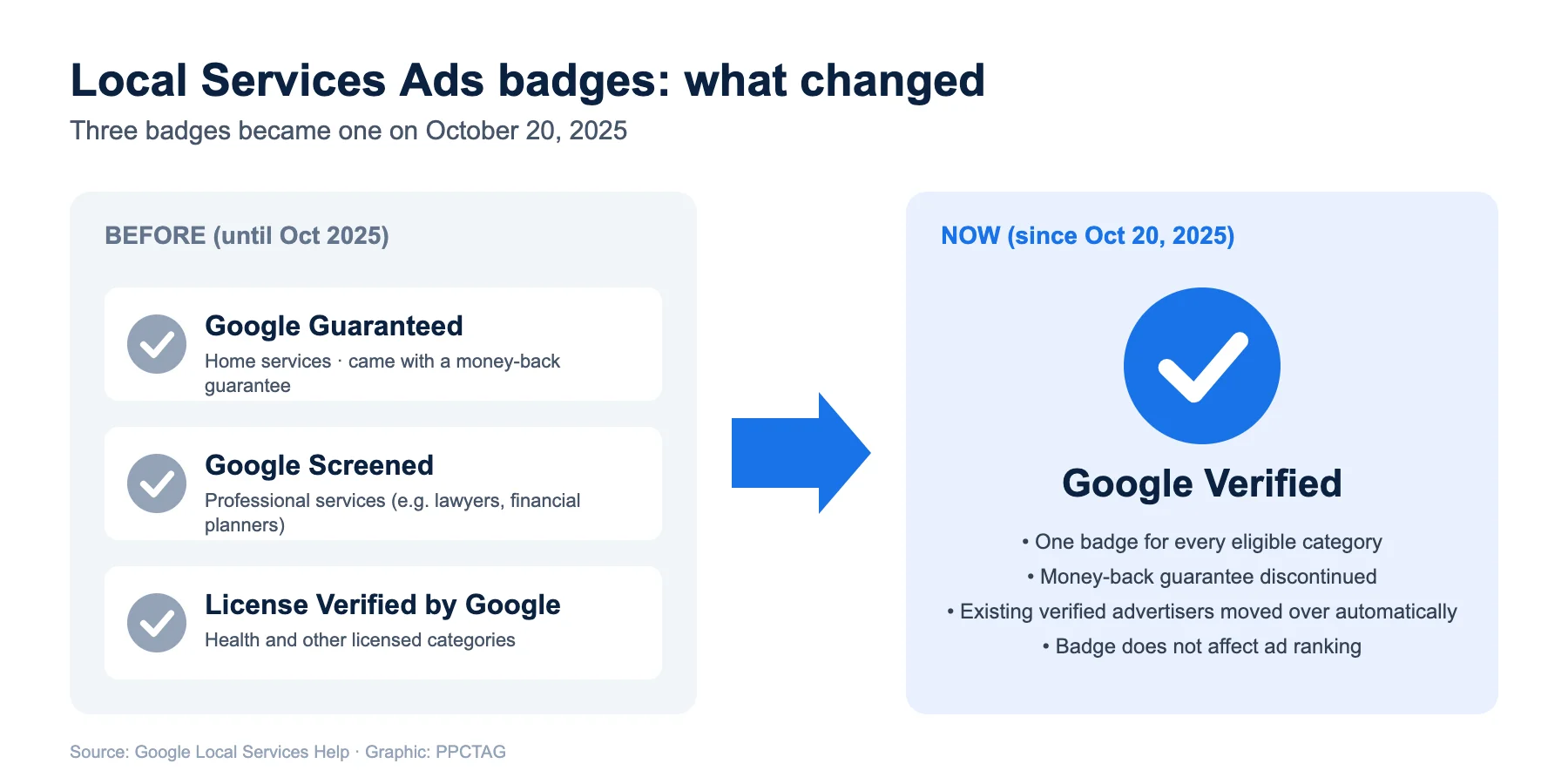
| Before October 20, 2025 | Now | |
|---|---|---|
| Badge name | Google Guaranteed, Google Screened or License Verified by Google, depending on category | Google Verified, for all eligible categories |
| What customers see | A green badge, with a different label per category | One blue Google Verified badge, plus the checks you passed on your profile |
| Money-back guarantee | Included with Google Guaranteed | Discontinued (requests allowed for bookings made before December 7, 2025, within 30 days of the job) |
| How to earn it | Local Services Ads screening and verification | The same screening and verification process |
| Existing advertisers | – | Moved over automatically, no action needed |
Google also says the badge does not affect Local Services Ads ranking. It is a trust signal for customers, not a ranking boost.
Google Verified (Google Guaranteed) requirements
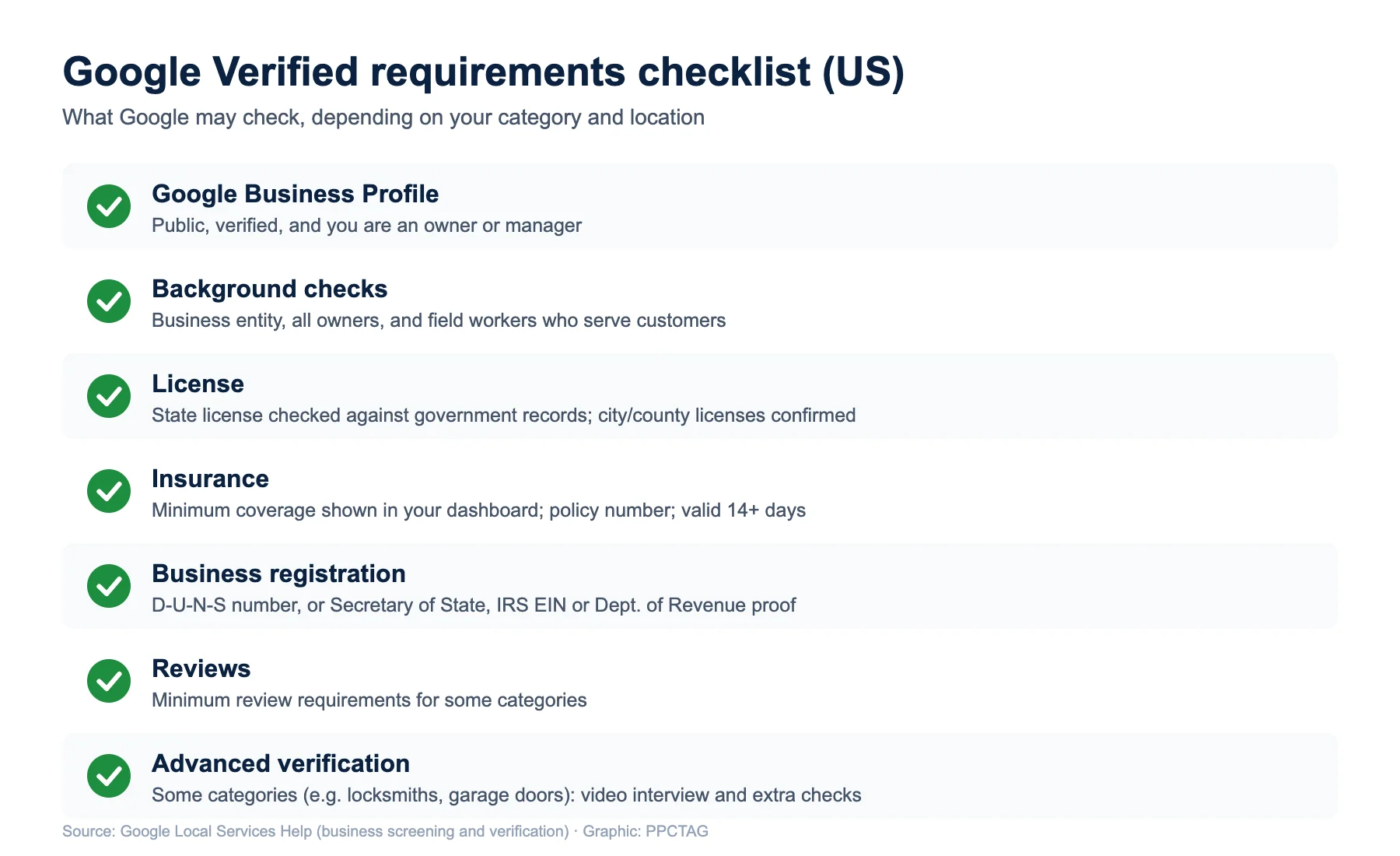
Quick answer: Expect Google to check your Google Business Profile, run background checks, and verify your license, insurance and business registration. Some categories also have review minimums or advanced verification. Exact requirements depend on your category and location and are shown in your verification dashboard.
1. Verified Google Business Profile
You need a public, verified Google Business Profile, and the person completing the checks must be an owner or manager of that profile. If the signed-in user does not have access, request it from the dashboard. Other steps can continue, but ads will not show until this is done. Status can take up to 24 hours to update.
2. License verification
Google checks state, provincial or national licenses for the business and its owners or managers against government records where possible. You also confirm that you hold any required city or county licenses and that all your service professionals are licensed. Businesses with several locations need licenses for each location.
3. Insurance verification
- The minimum coverage depends on your category and location and is shown on the insurance upload screen.
- In North America the document must be valid for at least 14 days after you submit it, show a policy number and be non-editable.
- The name on the policy must match your advertised business name, or you need a DBA (doing business as) document.
4. Business registration
In the US, Google verifies your business through a D-U-N-S number from Dun & Bradstreet. If you cannot get one, you can submit a Secretary of State registration, an IRS EIN or a Department of Revenue registration. A new D-U-N-S application can take up to 30 days, so start early.
5. Reviews and advanced verification
Some categories have minimum review requirements. Some categories, such as locksmiths and garage door services, need advanced verification: a review of your Google Ads account where applicable, public data and a video interview with Google.
The Google Guaranteed (Google Verified) background check
Quick answer: In the US and Canada, select categories need background checks for the business, all owners and field workers who serve customers. Google does not charge for them and there is no credit check.
- Who is checked: the business, its owners and its field workers (employees, contractors and subcontractors who work in customers’ homes or properties). Office staff and customer support are not checked.
- What is checked: identity and criminal history, run by Google’s third-party background check partners. Results stay between you and the partner.
- Cost: free. There is no credit check.
- Renewals: you may be asked to repeat checks, and advertisers are re-evaluated from time to time.
- If a check fails: the business is not eligible. You can dispute errors with the partner. After a final disqualification you must wait 30 days to reapply, and 180 days after a second denial.
Local Services Ads help
Stuck in verification?
I help agencies and local businesses get through LSA verification and set up profiles, service areas and job types that bring real leads.
How to get Google Verified (how to become Google Guaranteed or Screened), step by step
Quick answer: Check your category is eligible, sign up at g.co/localservices, link your verified Business Profile, complete background checks, upload license, insurance and registration documents, and wait for approval. The badge is issued when every check is approved.
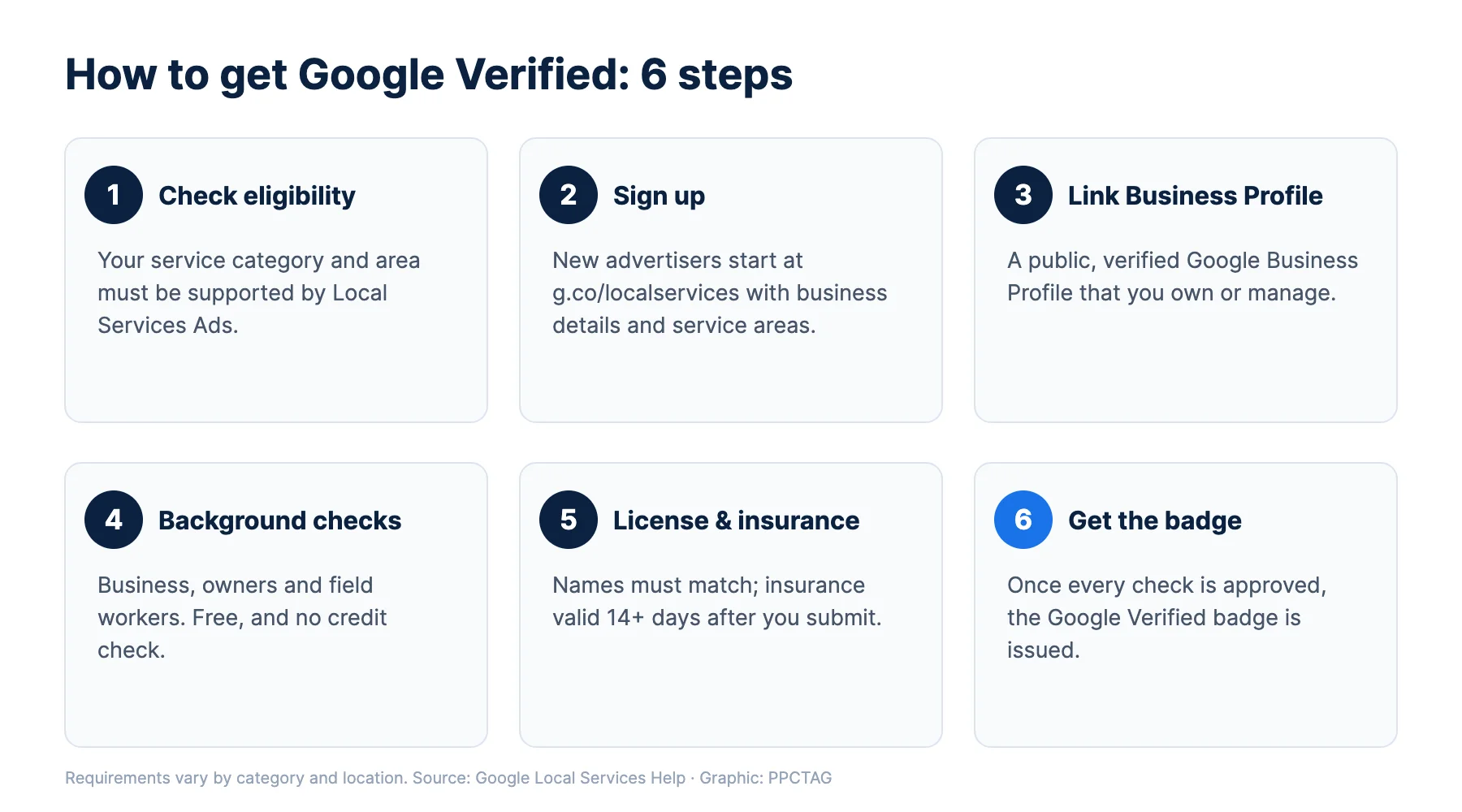
- Check eligibility. Local Services Ads must support your service category and area. Google lists eligible home, professional, health, care and other services on its Local Services Ads page.
- Sign up. New advertisers start at g.co/localservices. You cannot yet create new pay-per-lead campaigns directly inside Google Ads.
- Add your business details. Business name, phone, service areas, job types and hours. Use the exact legal or DBA name that appears on your license and insurance.
- Link your Google Business Profile as an owner or manager.
- Complete background checks for the business, owners and field workers through the partner links in your dashboard.
- Upload license, insurance and registration documents, then confirm any city or county licenses.
- Set a budget so your ads are ready to run once you are approved.
- Get the badge. Once all checks are approved, your profile shows the Google Verified badge.
How long does Google verification take?
Quick answer: There is no fixed time. Some eligible advertisers get accelerated verification and the badge quickly, then have 14 days to finish the remaining steps. A new D-U-N-S number can take up to 30 days, and profile status can take up to 24 hours to update.
In practice, delays usually come from documents that do not match the business name, insurance that expires too soon, or field workers who have not finished their background checks.
Which businesses can get the Google Verified badge?
The badge covers eligible Local Services Ads categories, including home services (HVAC, plumbing, electrical, roofing, cleaning, pest control and more), professional services such as lawyers, and some health, care and learning services. Google notes the badge is currently not available for some categories, including dining. Check Google’s list for your exact category and country.
Industry setup guides: HVAC, roofing, pest control, cleaning, home inspectors and lawyers.
Google Verified after Local Services Ads move into Google Ads
Quick answer: From August 2026, Google is moving Local Services Ads into Google Ads as Performance Max campaigns with pay-per-lead goals. Completed verification and your Google Verified badge carry over automatically, so you do not need to re-verify.
- Ads still show on Google Search and Google Maps in the same positions.
- The old Local Services Ads dashboard is no longer available after your account moves.
- New advertisers still sign up and verify at g.co/localservices for now.
More on the move: LSA to Performance Max: what changes, LSA missed call charges and downloading LSA historical reports.
Common reasons Google verification fails or stalls
- The business name on the license or insurance does not match the advertised name, and there is no DBA document.
- The insurance certificate is editable, has no policy number, or expires within 14 days.
- A field worker has not completed the background check, which holds up the whole business.
- The person verifying is not an owner or manager of the Google Business Profile.
- Missing city or county licenses for the category.
- The D-U-N-S number was applied for too late.
PPCTAG’s take
The badge name changed, but the work did not. Customers still look for the check mark, and Google still screens every business the same way. Most accounts I see lose weeks to small document mismatches, so prepare matching names, a fresh insurance certificate and background checks for every field worker before you start. Once you are live, the badge alone will not win leads: your reviews, responsiveness, service areas and job types decide how often you show.
FAQs
Is Google Guaranteed still available?
No. Google Guaranteed, Google Screened and License Verified by Google were replaced by the Google Verified badge on October 20, 2025, and the money-back guarantee was discontinued.
How do I get Google Screened now?
Google Screened no longer exists as a separate badge. Professional services such as lawyers now earn the Google Verified badge by passing the Local Services Ads screening and verification process.
How much does it cost to become Google Verified?
Google does not charge for the background checks or the badge. You pay only for valid leads from your Local Services Ads.
What are the Google Guaranteed requirements?
The same checks now apply to Google Verified: a verified Google Business Profile, background checks, license and insurance checks, business registration, and in some categories reviews or advanced verification.
Do I need to re-verify when Local Services Ads move to Google Ads?
No. Google says completed verification and your Google Verified badge transfer automatically.
What happens if my background check fails?
Your business becomes ineligible. You can dispute errors with the background check partner. After a final disqualification you can reapply after 30 days, and after 180 days if a second application is denied.
Is there a Google Guaranteed certification?
No. There is no separate certification or course. The badge comes only from passing Local Services Ads screening and verification.
$10 Audit Report
Already verified but not getting leads?
I review your Local Services Ads or Google Ads setup and send a clear list of what to fix first.
Sources
- Local Services Help: About Google Verified badge
- Local Services Help: Understand the screening and verification process
- Local Services Help: Business screening and verification requirements
- Local Services Help: Getting started with Local Services Ads
- LSA to Performance Max: What Changes for Local Services Ads